
In a post-COVID world, many of us tend to spend countless hours at our desks within our home offices. While productivity and efficiency are important, the way your workspace is designed can have a significant impact on your long-term health and overall well-being. Poor ergonomic setups are a leading cause of issues like chronic back …

In a post-COVID world, many of us tend to spend countless hours at our desks within our home offices. While productivity and efficiency are important, the way your workspace is designed can have a significant impact on your long-term health and overall well-being. Poor ergonomic setups are a leading cause of issues like chronic back pain, neck stiffness, eye strain, and even fatigue. These problems tend to develop gradually, but they can seriously affect your ability to stay focused and comfortable while you work in the long run. The good news is that with a few intentional upgrades, you can transform your workspace into a healthier, more supportive environment that makes it more comfortable and increases performance. Below are some of the must-have ergonomic essentials every workspace should include.
Ergonomic Chair
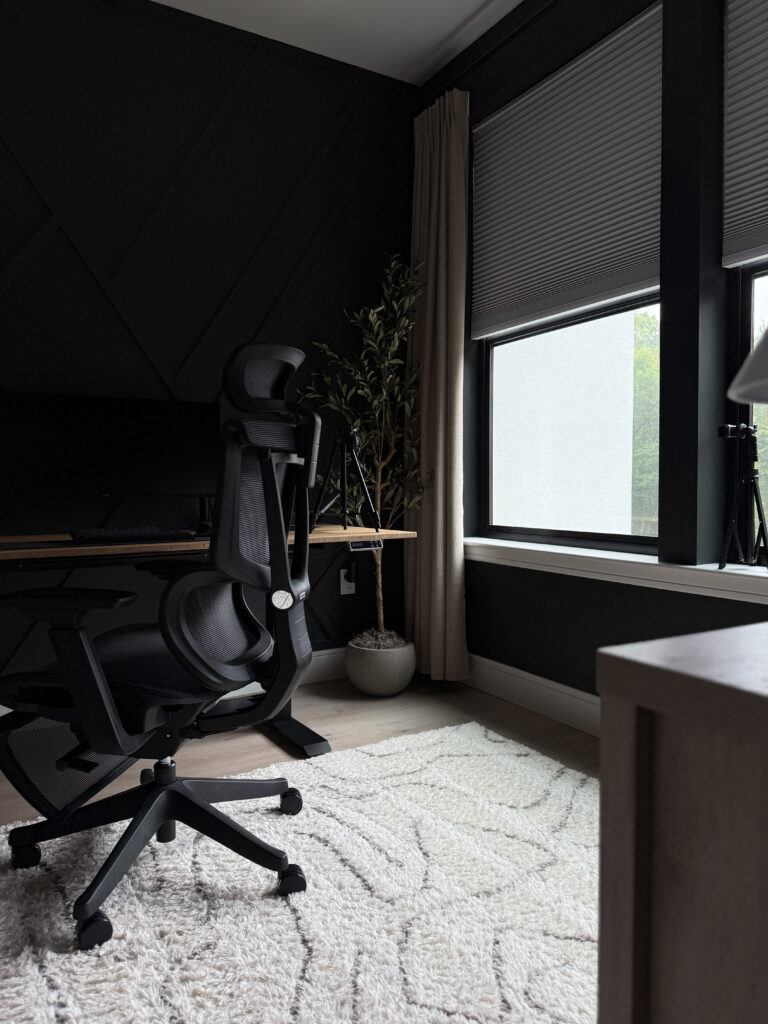
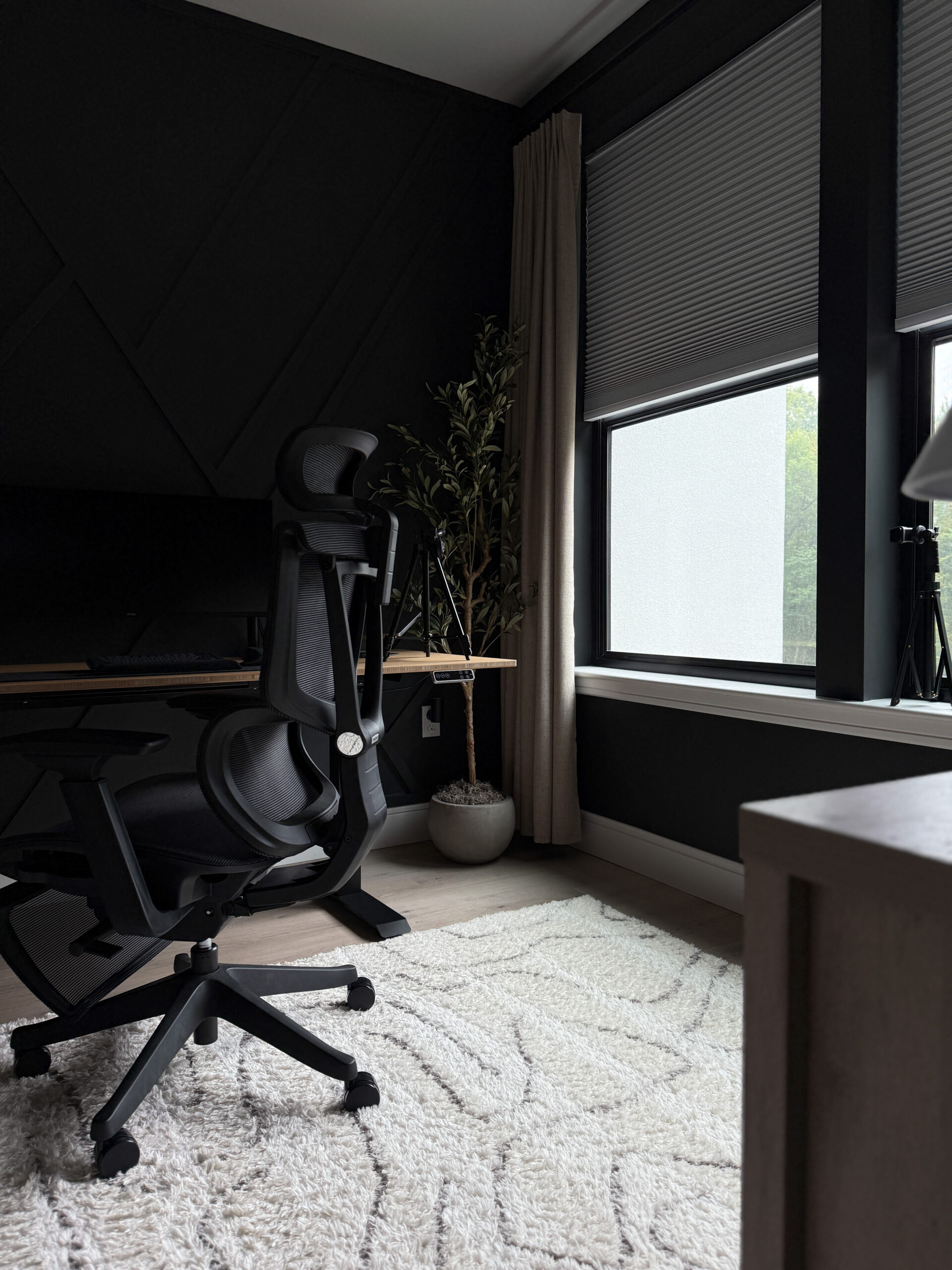
Your chair is the foundation of your office setup, and investing in a high-quality ergonomic chair is one of the best decisions you can make for your health. Unlike standard office chairs, ergonomic chairs are designed to support the natural curve of your spine, promoting proper posture and reducing strain on your lower back. Look for chairs that offer adjustable features such as seat height, armrests, neck and lumbar support so you can customize them to your body. Breathable materials can also add extra comfort, especially during long work sessions. I have found that the mesh design in ergonomic chairs from Flexispot tend to be very breathable while simultaneously being one of the least audible chairs you could possibly sit in.
Adjustable-Height Desk
Sitting for hours at a time is linked to fatigue, stiffness, and even more serious health concerns over the long run. On the other hand, standing for too long can be equally uncomfortable. That’s why an adjustable-height desk, often referred to as a sit-stand desk, has become such a popular solution. These desks allow you to seamlessly switch between sitting and standing throughout the day, giving your body the movement it needs to stay energized and alert. Even standing for short periods—such as 15 minutes every hour—can improve circulation, reduce back strain, and help you avoid the dreaded mid-afternoon slump. An adjustable-height desk not only makes your office more versatile but also encourages healthier habits during your workday.
Monitor Stand or Adjustable Arm
Many people unknowingly hunch over their screens, leading to neck and shoulder pain over time. To prevent this, your monitor should be at eye level so you can maintain a neutral posture while working. A monitor stand, or adjustable arm makes it easy to position your screen correctly, reducing the risk of “tech neck” and other posture-related issues. These tools also free up valuable desk space, making your workspace look cleaner and more organized. If you use multiple monitors, adjustable arms are especially useful for creating a seamless setup that minimizes strain while maximizing efficiency. This small adjustment can have a big impact on your daily comfort and focus.
Ergonomic Keyboard and Mouse
When it comes to office ergonomics, your hands and wrists deserve just as much attention as your back and neck. Traditional keyboards and mice force your wrists into unnatural positions, which over time can lead to repetitive strain injuries, or carpal tunnel syndrome. Ergonomic keyboards are designed with a slight curve or split layout to keep your wrists in a more natural alignment, while ergonomic mice—such as vertical or trackball designs—reduce the twisting motion that often causes discomfort. Pairing these tools together can drastically improve comfort, especially if you type for long hours each day. They may take a little time to get used to, but the long-term benefits are well worth the adjustment.
I personally find great value in myLogitech MX Master 2S Bluetooth Wireless Mouse, as well as my Logitech MX Mechanical Wireless Illuminated Keyboard. It is very important to have a keyboard with backlight properties, as working in a dark room, or any type of room with limited lighting can be difficult if you cannot see the keys on your board. Backlit keyboards are non-negotiable for me.
Footrest
A footrest may not seem like an essential item, but it plays a crucial role in maintaining proper posture. If your feet don’t rest flat on the floor while sitting, your legs may dangle, or shift uncomfortably, which puts unnecessary pressure on your lower back and hips. A footrest provides the stability you need by allowing your feet to stay supported and grounded. This not only improves circulation, but also helps you maintain a more relaxed position while working. For people with shorter legs, a footrest can make a dramatic difference in comfort and alignment throughout the day.
I recommend going through a trial one-week period with no footrest and another with a footrest. Watch how much more it will enhance your work ethic and relieve the stress that is directed to other areas of your body.
Proper Lighting
One of the most overlooked aspects of office ergonomics is lighting. Poor lighting can cause eye strain, headaches, and fatigue, especially if you spend most of your day looking at screens. Natural light is ideal for reducing eye strain and improving mood, but if that’s not possible, an adjustable desk lamp is the next best option. Choose a lamp with brightness settings and flexible positioning so you can reduce glare on your screen and adjust to different times of the day. Positioning your monitor perpendicular to a window can also help minimize glare. Proper lighting doesn’t just protect your eyes—it creates a more inviting and productive atmosphere for your workspace.
Why Ergonomics Shouldn’t Be Overlooked
Your workspace is more than just a desk and a chair—it’s the environment where you spend a large part of your day, and it should support both your health and your productivity. By investing in ergonomic essentials like a supportive chair, adjustable desk, and proper footrest, you can protect your body from long-term strain while creating a more comfortable, efficient place to work. Think of ergonomics as an investment in yourself: a healthier workspace leads to a healthier, more focused, and more successful you.
Shop This Post
- Ergonomic Office Chair
- Adjustable-Height Desk
- Logitech MX Master 2S Bluetooth Wireless Mouse
- Logitech MX Mechanical Wireless Illuminated Keyboard
- ComfiLife Footrest
- Dell 34-inch Curved Monitor
- Dell 23-inch Monitor
- 12 Outlet & 4 USB Port Power Strip
- Cooling Gel Wrist Rest
- Office Fluted Storage Cabinet
- Black Drapery Curtain Ring
- Ivilon Drapery Window Curtain Rod
- 6ft Faux Olive Tree
- 11.8″ Round Concrete Planter
- 96″ Blackout Curtains
- 62″ Phone Tripod & Selfie Stick
- Single 13 – 38 inch Ultrawide Monitor Arm Desk Mount
- Ultrawide Monitor Arm for Max 40-inch Screen
- Felt Desk Mat
- Cable Management Kit
- 360° Rotating Laptop Stand
- Warm LED Night Lights
Be the first to read my posts
Get Inspired by the World of Interior Design
Thank you for subscribing to the newsletter.
Oops. Something went wrong. Please try again later.